

Most students don't have a time problem—they have an awareness problem. Research consistently shows that students overestimate their study time by 50% or more. They think they studied for 4 hours, but when distractions, phone checks, and unfocused time are counted, the real productive time was closer to 2 hours. Whether you use a stopwatch for study sessions or a timer for studying with Pomodoro mode, the first step to better time management is knowing where your time actually goes.
The observer effect changes behavior. Studies in behavioral psychology show that simply tracking a behavior tends to improve it—even without conscious effort. When you log your study sessions, you become more aware of how you spend your time, leading to natural improvements in focus and consistency.
Data-driven decisions beat gut feelings. Without tracking, you're guessing. Am I studying enough? Am I spending too much time on one subject? A study timer with statistics gives you objective answers. You can see exactly how many hours you put into each subject and adjust your schedule accordingly.
Tracking builds better habits. Psychologists call it "implementation intention"—having a specific time and place for a behavior increases the likelihood of doing it. When you use a study timer regularly, you're not just measuring time; you're building a habit loop: cue (start timer), routine (study), reward (see progress).
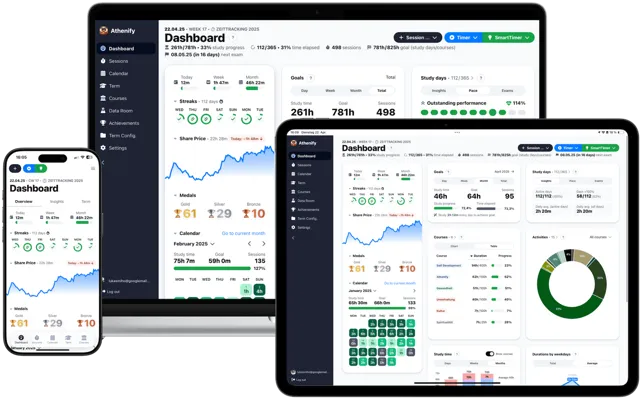
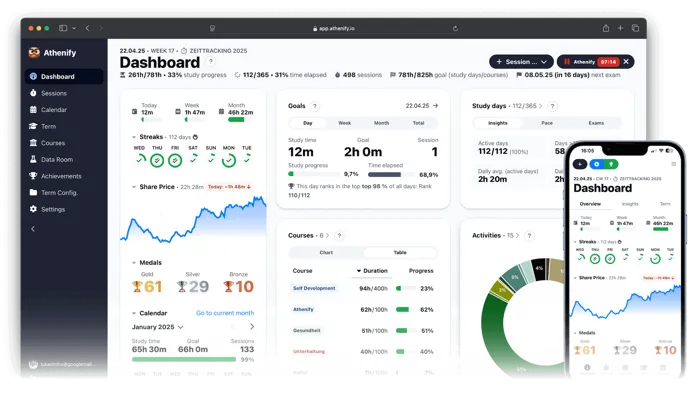
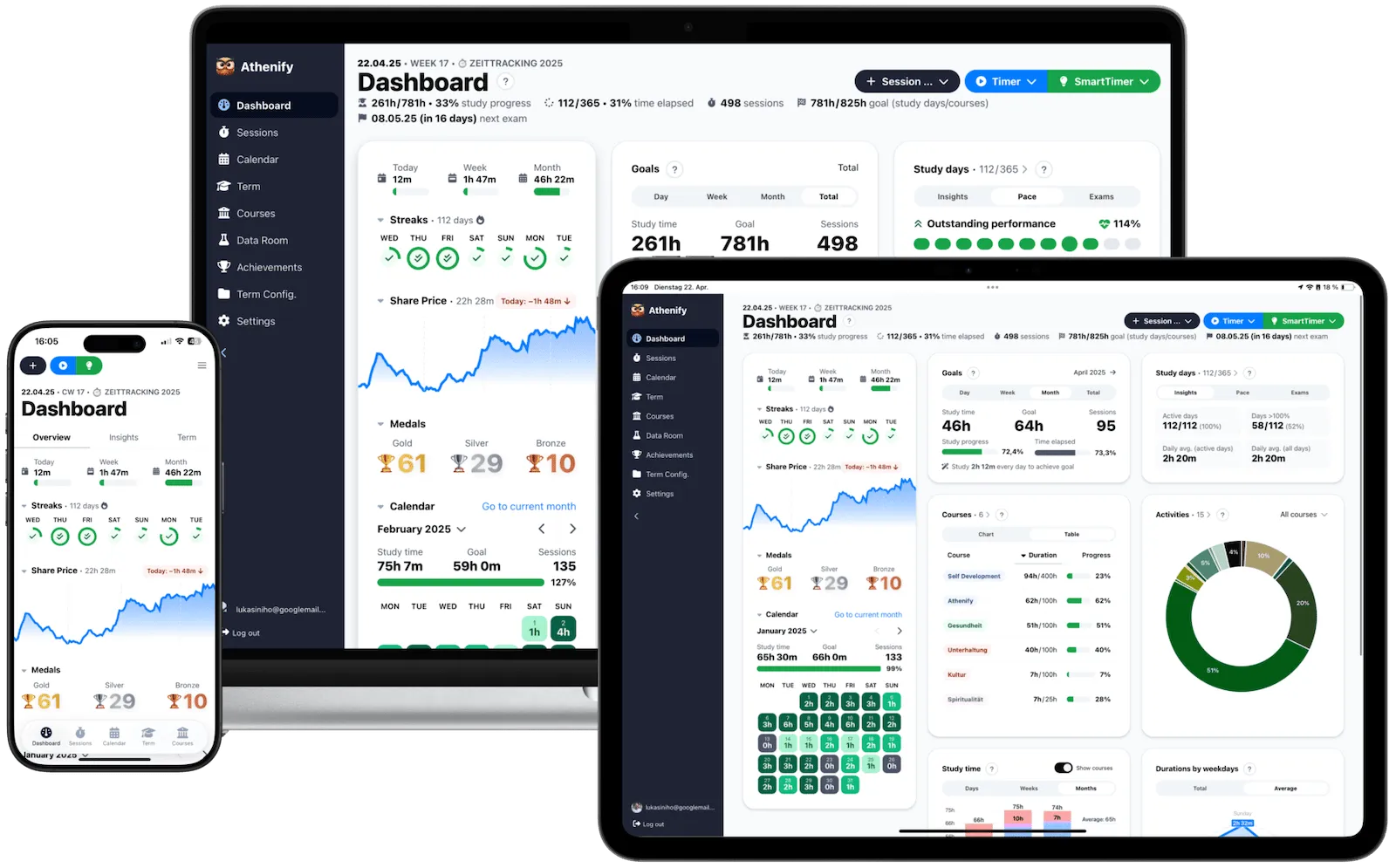
Why Athenify goes beyond a simple clock for studying. Free timers count time, but they don't remember it. Athenify saves every session, shows you trends over weeks and months, and keeps you motivated with streaks, medals, and gamification. It's the difference between taking notes and building a knowledge system. Our aesthetic study timer online combines beautiful design with powerful tracking. Whether you prefer a focus timer for deep work or a fullscreen timer for total immersion, Athenify has you covered — discover the best study tracker app for students.
Why an aesthetic study clock matters more than you think
Most study tools look like they were designed in 2008. Grey buttons, cluttered interfaces, tiny fonts crammed into sidebars. They work, technically — but they don't make you want to study. An aesthetic timer for studying solves a problem most students don't realize they have: environmental friction.
Your environment shapes your behavior more than your willpower does. A beautiful study clock becomes part of an environment that invites focus.
Design affects dopamine. When you open a tool that looks good — clean typography, satisfying animations, a calming color palette — your brain registers a small reward before you've even started working. That micro-dose of dopamine lowers the activation energy needed to begin a session. Ugly tools add friction. Beautiful tools reduce it.
Fullscreen changes the game. A cute study timer in a browser tab competes with 30 other tabs for your attention. An aesthetic timer in fullscreen mode becomes your screen. There's nothing else to click, nothing else to look at. The visual boundary between "study mode" and "distraction mode" becomes absolute. This is why Athenify's fullscreen aesthetic stopwatch for studying is one of its most popular features — it transforms your entire screen into a focus environment.
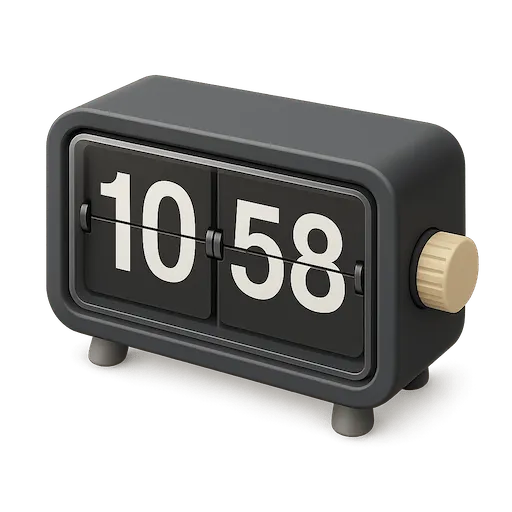
The Korean study timer phenomenon. If you've been on YouTube or TikTok, you've seen the aesthetic study clock screens: minimalist flip clock displays, soft backgrounds, sometimes with ambient café sounds. These "study with me" timers went viral in South Korea and spread worldwide because they understood something fundamental – students want their study environment to feel intentional, not clinical. Athenify brings that same calm, full-screen feeling – gradient background, oversized digits, nothing else on screen – to a timer that actually tracks your progress.
A beautiful timer keeps you looking at the screen. A timer that tracks your hours keeps you accountable. Athenify combines both — so your study clock is more than decoration.
What Athenify's fullscreen study timer actually looks like
Most aesthetic study timers online are a clock with a nice skin – lovely to look at, gone the moment you close the tab. Athenify's fullscreen mode is built the other way round: the screen is what keeps you sitting there, and the tracking is what makes the session worth something afterwards. Here is what you get when you hit fullscreen.
Oversized digits combat time blindness. The countdown scales with your screen instead of sitting in the corner of a browser tab, so the remaining time stays readable whether you're at your desk, on the couch, or pacing around the room. Students who lose track of time during long sessions get a reference point they can't miss.
Ten gradients, not one static screen. Each theme repaints the entire background rather than tinting an accent – calm ocean blues for long reading blocks, warmer sunset tones for late nights, or the near-black Midnight canvas when you want the room to disappear. A motivational quote sits under the countdown if you want the extra nudge, and switches off if you don't.
Nothing else on screen. The controls fade out after a few seconds of stillness, leaving the time and the theme. No progress bars, no statistics panel, nothing blinking for attention – and if you want your task list or your notes alongside the countdown, you open them yourself. That is the entire reason fullscreen works: the visual boundary between study mode and everything else becomes absolute.
The downside of a standalone aesthetic clock is what happens after the session: nothing. It doesn't save your sessions, track your subjects, or show you how your study hours add up over time. Athenify keeps the same distraction-free philosophy – large timer display, clean interface, zero clutter – and adds the tracking layer a decorative clock can't provide. You get the aesthetic focus experience plus data you can actually use. Pair it with focus music for the complete aesthetic study setup.
Which study clock technique is right for you?
Pomodoro (25/5) – The classic study timer method. 25 minutes of focused work, then a 5-minute break. Best for tasks that feel overwhelming or when you're building initial focus habits. The short intervals make starting easier and prevent burnout. If you want an aesthetic Pomodoro experience, Athenify's free Pomodoro timer online combines the technique with beautiful design.
52/17 Method – 52 minutes of work followed by a 17-minute break. Based on productivity research by DeskTime analyzing top performers. Best for deep work sessions and complex problem-solving where 25 minutes feels too short to get into flow.
90-Minute Blocks – Matches your ultradian rhythm, the natural energy cycles your body follows throughout the day. Best for creative work, writing essays, or projects requiring sustained flow state. Take a longer 20–30 minute break afterward.
Flowtime Technique – Start your study timer and stop when you naturally lose focus, rather than at a predetermined interval. Best for experienced students who already know their attention patterns and want flexibility. Track your natural focus duration over time to discover your optimal session length.
Start with Pomodoro. It's the most forgiving for beginners because the intervals are short and the structure is clear. Once you've built the habit of using a study timer consistently, experiment with longer blocks to find your ideal rhythm.
How to use a stopwatch for study sessions effectively
Remove distractions before starting. A timer clock for study can't create focus—it measures it. Put your phone in another room, close unnecessary browser tabs, and tell roommates you're studying. The timer works best when your environment supports concentration. For specific strategies, read our guide on how to study without your phone.
Match timer length to task difficulty. Easy review or flashcards? Try 50-minute blocks. Challenging new material or complex problems? Start with 25-minute Pomodoro sessions. As your focus improves over weeks, gradually extend your study timer intervals.
Actually take your breaks. The study timer isn't just for work—breaks are part of the system. Stand up, hydrate, look away from screens. Skipping breaks leads to diminishing returns and faster burnout. Your brain consolidates information during rest.
Track by subject, not just total time. "4 hours of studying" means nothing. "2 hours calculus, 1 hour reading, 1 hour problem sets" tells you exactly what's working. Use your study timer data to ensure balanced coverage across all your subjects.
Review your data weekly. A study timer without reflection is just a clock. Look at your patterns every Sunday: Which days are most productive? Which subjects get neglected? Which timer intervals work best for you? Adjust your approach based on real data, not guesses.
Free study timer vs. Athenify: what's the difference?
A free online study timer — whether it's a browser tab, a YouTube video, or a simple stopwatch — does one thing: count time. That's useful for a single session, but it doesn't build anything lasting. Here's where the gap becomes meaningful:
| Feature | Free study timer | Athenify |
|---|---|---|
| Countdown / stopwatch | ✓ | ✓ |
| Aesthetic design | Sometimes | ✓ Always |
| Fullscreen mode | Rarely | ✓ |
| Fullscreen focus mode | Rarely | ✓ |
| Session history | ✗ | ✓ Automatic |
| Subject tracking | ✗ | ✓ Per subject |
| Weekly/monthly analytics | ✗ | ✓ Dashboard |
| Streaks & gamification | ✗ | ✓ Built-in |
| Works offline | ✗ | ✓ App |
The difference isn't the timer itself — it's what happens after the timer stops. Athenify turns every session into data you can learn from, trends you can act on, and streaks that keep you coming back. If you're studying for a major exam, tracking your hours isn't optional — it's how you know whether your study schedule is actually working.
Try Athenify for free
Try Athenify's aesthetic study timer — free, beautiful, and built to track your progress.
No credit card required.
No credit card required.