

A fullscreen timer transforms your computer into a dedicated focus machine. Unlike regular timers that sit in a small browser tab, a fullscreen timer covers your entire display. This creates what psychologists call an "environmental cue"—a visual signal that tells your brain it's time to concentrate. When your entire screen becomes the timer, there is no ambiguity about what you should be doing.
Research shows that visual distractions significantly impair cognitive performance. Even seeing a notification icon in your peripheral vision creates what researchers call "attention residue." By filling your screen with only the timer, you eliminate these micro-distractions and allow your brain to fully engage with your work. A distraction-free display is one of the simplest and most effective ways to protect your focus.
The aesthetic element of fullscreen timers matters more than you might think. Our collection of gradient backgrounds isn't just decorative—pleasant visual environments have been shown to reduce stress and improve focus. The Aurora, Ocean, and Forest themes are particularly popular for long study sessions. A beautiful fullscreen timer experience makes the act of deep work feel less like a chore and more like a ritual you look forward to.
Motivational quotes displayed during focus sessions can provide a psychological boost. When concentration wavers, a well-timed quote from Einstein, Churchill, or Buddha can remind you why you're putting in the effort. Our fullscreen timer cycles through 40+ carefully selected quotes to keep you inspired throughout even the longest sessions.
Keyboard shortcuts make the fullscreen timer experience seamless. Without breaking your flow to reach for the mouse, you can start, pause, reset, and exit fullscreen mode. This frictionless control is essential for maintaining focus—every small interruption costs valuable mental energy. Try the best study app for students and experience the difference yourself.
How fullscreen mode changes your study sessions
Your environment shapes your behavior far more than willpower does. Psychologists have long understood that environmental cues drive habits. When you walk into a library, your brain shifts into study mode—not because you decided to focus, but because the space signals focus. A fullscreen timer recreates this effect digitally. The moment your screen fills with a countdown and a calm gradient background, your brain receives a clear signal: it is time to work. No tabs, no feeds, no inbox—just you and the clock.
Context switching is one of the most expensive cognitive operations. Research from the University of California, Irvine found that it takes an average of 23 minutes to fully regain focus after a distraction. Even a quick glance at an open chat window or email tab fragments your attention. A fullscreen timer eliminates the possibility of accidental context switches by physically removing other applications from view. You cannot be tempted by what you cannot see. This is why a distraction-free study timer is more effective than one that shares screen space with everything else.
Fullscreen mode creates a psychological boundary between work and distraction. Think of it as closing the door to your office. The transition into fullscreen is a deliberate act—a micro-commitment that separates "I might study" from "I am studying." This small ritual builds what behavioral scientists call an implementation intention, making you significantly more likely to follow through on your plan. Over time, entering fullscreen becomes a trigger for deep focus, much like putting on headphones signals to your brain that it is time to concentrate.
The visual simplicity of a fullscreen timer also reduces decision fatigue. When your screen is cluttered with open applications, your brain constantly evaluates what to attend to. Should you check that notification? Should you respond to that message first? A fullscreen timer removes these micro-decisions entirely. Your only option is to focus on the task at hand or step away from the computer. This binary simplicity is liberating—and surprisingly productive.
Getting the most from your fullscreen timer
Combine fullscreen mode with structured intervals for maximum effect. The fullscreen timer works exceptionally well with the Pomodoro timer technique: 25 minutes of fullscreen focus followed by a 5-minute break. The fullscreen environment intensifies each Pomodoro session by removing all visual noise, while the timed breaks prevent burnout. After four cycles, take a longer 15–20 minute break to let your brain consolidate what you have learned.
Choose your theme intentionally, not randomly. The aesthetic of your fullscreen timer affects your mental state. Warm gradients like Sunset and Aurora tend to feel energizing—good for morning sessions or when motivation is low. Cool tones like Ocean and Forest create a calming atmosphere suited to deep reading or complex problem-solving. Experiment with different themes for different tasks and notice which combinations help you focus best.
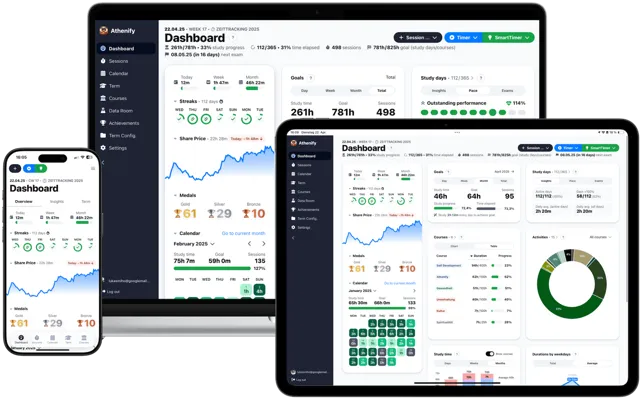
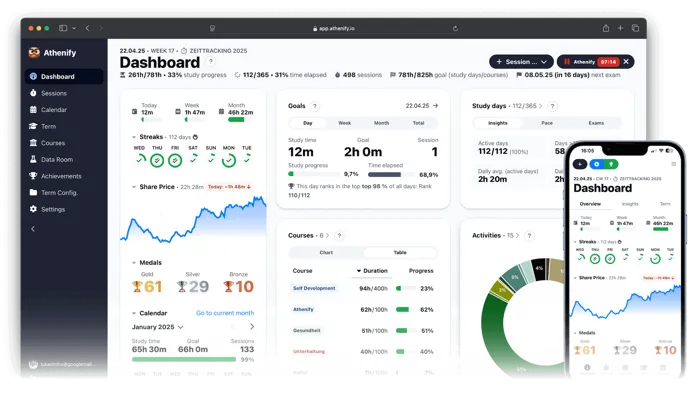
Use the fullscreen timer as a tracking tool, not just a countdown. Every completed session is a data point. Over weeks, your logged sessions reveal patterns: which days you are most productive, how long you can focus before needing a break, and which subjects consume the most time. A focus timer that tracks your history transforms scattered study sessions into a measurable, improvable system. Review your data weekly and adjust your approach based on what the numbers show.
Start with shorter fullscreen sessions and build up gradually. If you are not used to distraction-free work, jumping straight into 90-minute fullscreen blocks can feel overwhelming. Begin with 15–20 minute sessions and increase by 5 minutes each week as your focus muscles strengthen. The goal is consistency, not heroic one-time efforts. Ten focused fullscreen sessions of 25 minutes will always outperform a single scattered 4-hour marathon with tabs open in the background.