
Le plus grand mensonge que les etudiants se racontent, c'est celui du temps passe a etudier. Une etude de l'Universite de Montpellier a montre que les etudiants surestiment leurs heures d'etude productive de 40 % en moyenne. Quatre heures dans la bibliotheque ne signifient pas quatre heures d'apprentissage. Entre les pauses cafe, les consultations du telephone et les moments de reverie, le temps reel de concentration est souvent divise par deux.
Mesurer, c'est deja progresser. En psychologie comportementale, on appelle cela l'effet de reactivite : le simple fait d'observer un comportement tend a l'ameliorer. Quand vous lancez un minuteur avant chaque session, vous passez d'une etude vague et non structuree a un engagement mesurable. Ce changement subtil a des consequences profondes sur votre regularite.
La France a un probleme de culture du travail invisible. Dans le systeme universitaire francais, on valorise l'intelligence naturelle et on minimise l'effort visible. Admettre qu'on travaille dur est parfois percu comme un aveu de faiblesse. Resultat : les etudiants etudient de maniere desorganisee et solitaire, sans outils de suivi, sans structure. Un minuteur d'etude brise ce tabou en transformant l'effort en donnees objectives et neutres.
Les donnees ne mentent pas, votre memoire si. Sans suivi, vous ne pouvez pas savoir si vous passez assez de temps sur chaque matiere. Vous pensez avoir beaucoup travaille la physique cette semaine, mais vos statistiques revelent que vous y avez consacre 90 minutes contre 5 heures de droit. Ce desequilibre est invisible sans un outil de mesure.
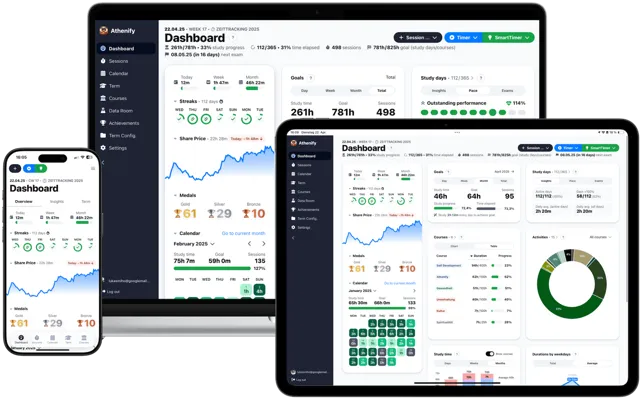
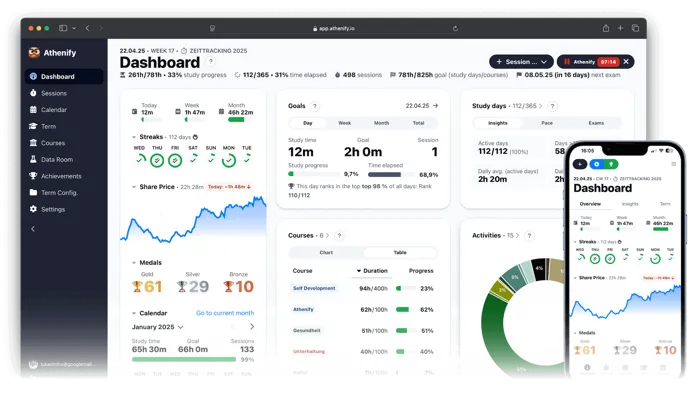
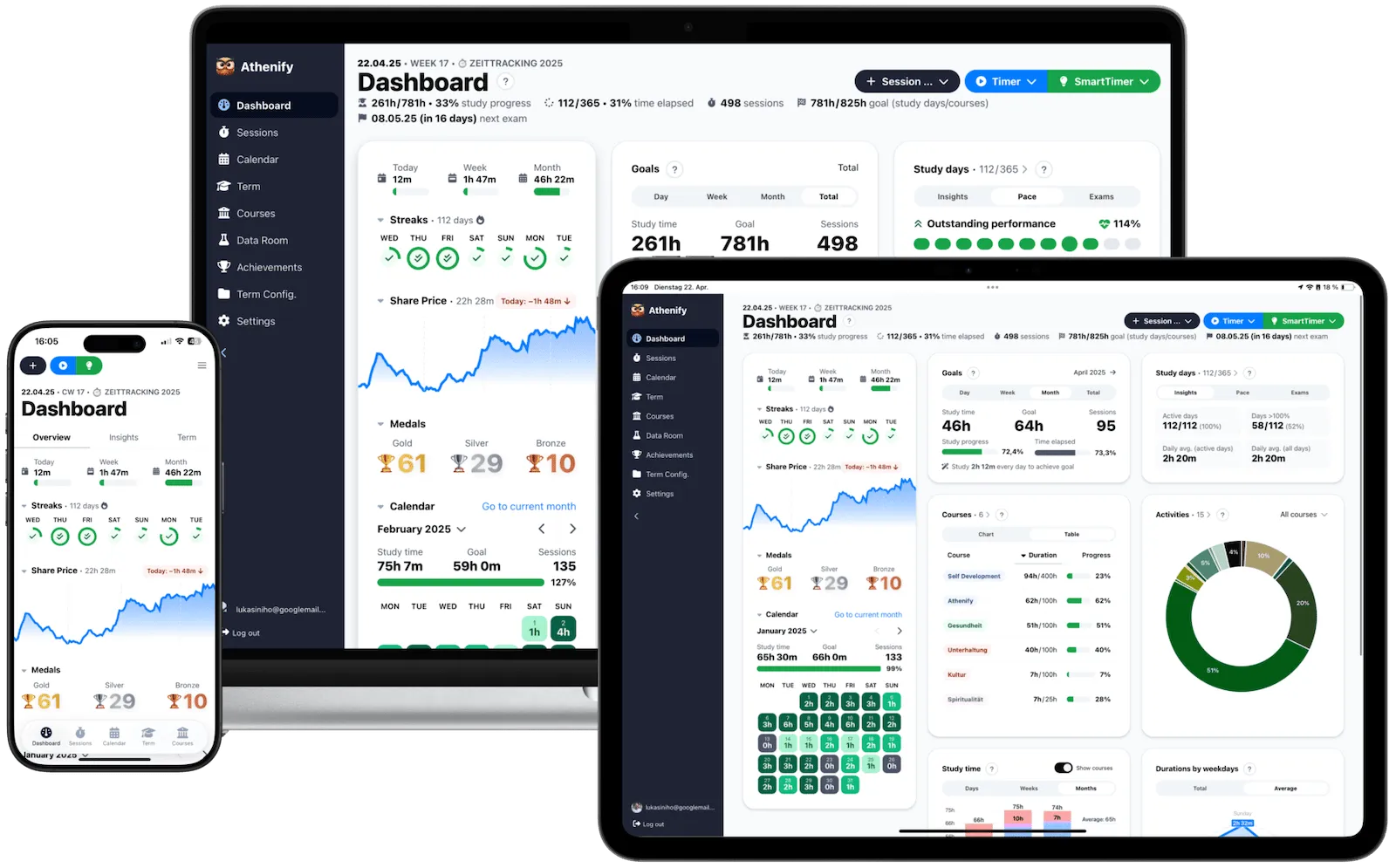
Athenify transforme le minuteur en systeme d'apprentissage. Un chronometre en ligne gratuit s'arrete quand la session se termine. Athenify continue : il enregistre chaque session, affiche des tendances hebdomadaires et mensuelles, et maintient votre motivation avec des series et des recompenses. Decouvrez le minuteur de concentration pour le travail approfondi, le minuteur plein ecran pour l'immersion totale, ou explorez la meilleure application de suivi d'etude pour etudiants.
Pourquoi le design de votre minuteur influence votre concentration
On sous-estime l'impact de l'esthetique sur la productivite. Pourtant, les recherches en design cognitif montrent qu'un outil visuellement agreable reduit la charge cognitive et augmente le temps d'utilisation. Un minuteur laid n'est pas neutre, il ajoute une micro-friction qui s'accumule a chaque session.
Une etude du Design Management Institute a montre que les entreprises qui investissent dans le design surpassent l'indice S&P 500 de 228 %. Le meme principe s'applique aux outils personnels : un minuteur beau est un minuteur que vous utiliserez davantage.
L'ecran complet change votre relation a l'etude. Quand votre minuteur occupe tout l'ecran, les onglets disparaissent, les notifications perdent leur pouvoir, et votre espace numerique devient un espace d'etude. Cette separation physique entre mode travail et mode distraction est l'un des outils les plus simples et les plus efficaces contre la procrastination.
Le phenomene du minuteur esthetique venu de Coree. Les videos de type etude avec moi montrent des ecrans minimalistes avec de grands chiffres, des animations douces et parfois des sons d'ambiance. Ce format, ne en Coree du Sud, a conquis des millions d'etudiants dans le monde parce qu'il repond a un besoin profond : transformer l'etude en experience intentionnelle plutot qu'en corvee.
La beaute reduit la resistance au demarrage. Le moment le plus difficile de toute session d'etude est le debut. Quand votre outil est agreable a regarder, le cerveau enregistre une micro-recompense avant meme que le travail ne commence. Cette reduction de la friction initiale est mesurable : les utilisateurs d'outils esthetiques commencent leurs sessions plus rapidement et les maintiennent plus longtemps.
Quelle methode de minuteur choisir selon votre profil
Pomodoro (25/5) – La methode la plus accessible. 25 minutes de travail, 5 minutes de pause. Ideale pour les etudiants qui procrastinent ou qui debutent avec le suivi du temps. Le minuteur Pomodoro gratuit d'Athenify rend cette technique elegante et simple.
Methode 52/17 – 52 minutes de travail intense, 17 minutes de recuperation. Basee sur l'analyse des habitudes des travailleurs les plus performants. Adaptee aux etudiants en preparation de concours (classes prepa, medecine, agregation) qui ont besoin de blocs plus longs pour traiter des problemes complexes.
Blocs de 90 minutes – Alignes sur le rythme ultradien, le cycle naturel d'energie du corps. Particulierement efficaces pour la redaction de memoires, les dissertations, et les travaux creatifs qui necessitent un etat de flux prolonge. Prenez 20 a 30 minutes de pause entre les blocs.
Technique de flux libre – Demarrez le minuteur et arretez-le quand votre attention decline naturellement. Cette approche convient aux etudiants experimentes qui connaissent deja leurs schemas de concentration. Avec Athenify, chaque session est enregistree automatiquement, ce qui vous permet de decouvrir votre duree optimale au fil du temps.
Comment structurer une semaine d'etude avec un minuteur
Definissez un objectif hebdomadaire par matiere. Au lieu de viser un vague nombre total d'heures, fixez un quota par matiere. Par exemple : 6 heures de mathematiques, 4 heures de philosophie, 3 heures de langues. Votre minuteur vous indiquera en temps reel si vous etes en avance ou en retard sur vos objectifs.
Alternez les matieres selon votre energie. Le matin, quand votre cortisol est au plus haut, attaquez les matieres qui demandent le plus de concentration. L'apres-midi, passez aux taches de revision ou aux exercices repetitifs. Le soir, relisez vos notes de la journee. Utilisez les donnees de votre minuteur pour confirmer ou ajuster cette repartition.
Protegez vos pauses comme vos sessions. En France, la pause cafe est sacree dans le monde professionnel mais curieusement negligee par les etudiants. Les pauses ne sont pas du temps perdu : c'est pendant le repos que le cerveau consolide l'information. Un minuteur qui inclut les pauses dans sa structure vous empeche de les sacrifier.
Faites une revue hebdomadaire chaque dimanche. Consultez vos statistiques : quelles matieres ont ete negligees ? Quels jours sont les plus productifs ? A quelles heures votre concentration est-elle optimale ? Ces donnees, accumulees sur plusieurs semaines, deviennent une carte precise de vos habitudes d'apprentissage.
Essayez Athenify gratuitement
Essayez le minuteur esthetique d'Athenify : gratuit, elegant et concu pour suivre votre progression academique.
Aucune carte bancaire requise.
Aucune carte bancaire requise.