What's New?

Changelog

All new features, improvements, and bug fixes in Athenify.

Trophies in 3D
August 2026NewImproved

Trophies in 3D

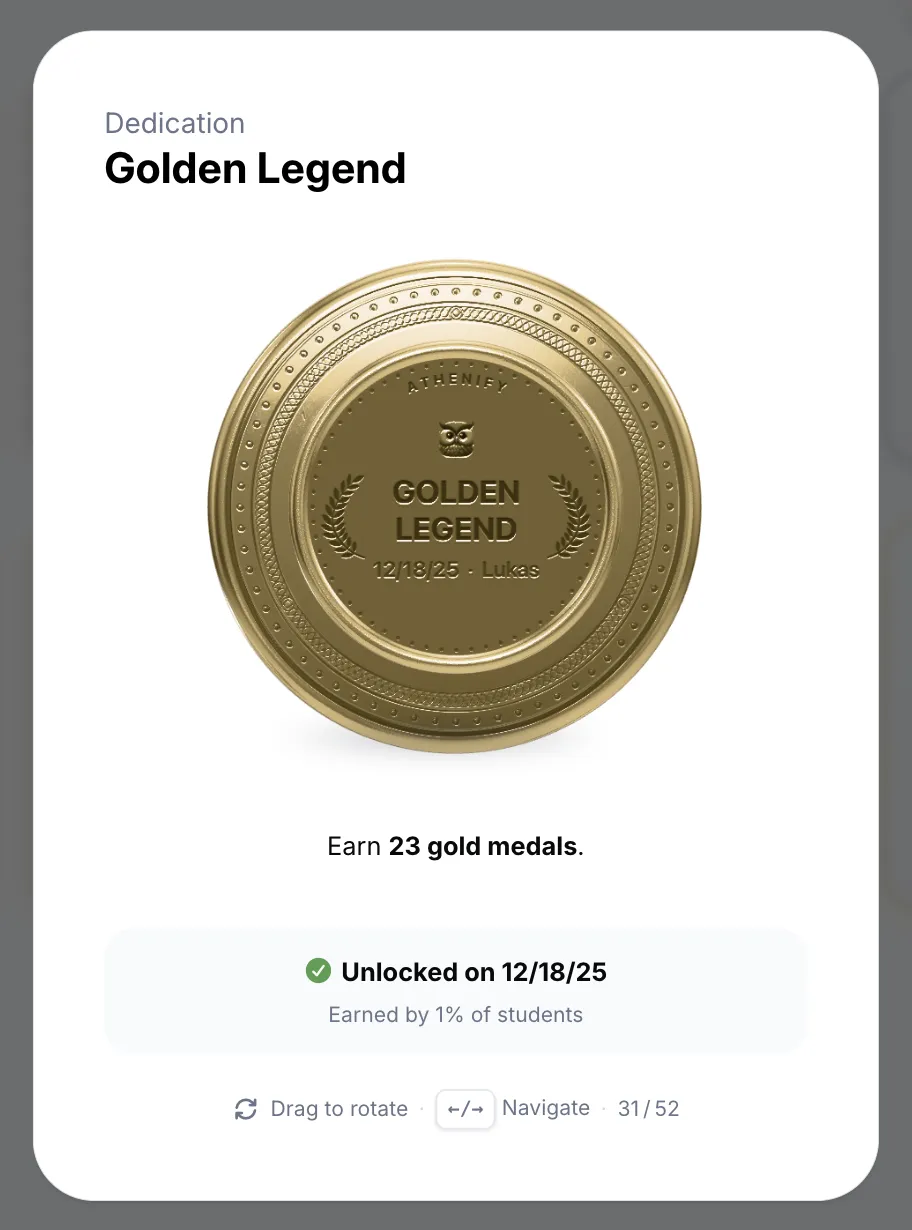
Every trophy and badge is now a real 3D medallion you can spin with your mouse – cast in its own metal and engraved on the back with the date you earned it and your name.

  • 3D medallions: Every trophy and badge rendered live in 3D, in gold, silver, bronze, or pewter
  • Achievement detail: Open any trophy for its story, its tier, and when you earned it, then step through the rest
  • Engraved backs: Spin a medallion around to find the trophy name, your name, and the date on the reverse
  • Badge design: Warmer gold, refined metal surfaces, and a subtle bevel across every badge
  • Instant opening: Medallions are pre-cached, so the detail view opens without a wait
Mobile sheets & a new study day
August 2026NewImproved

Mobile sheets & a new study day

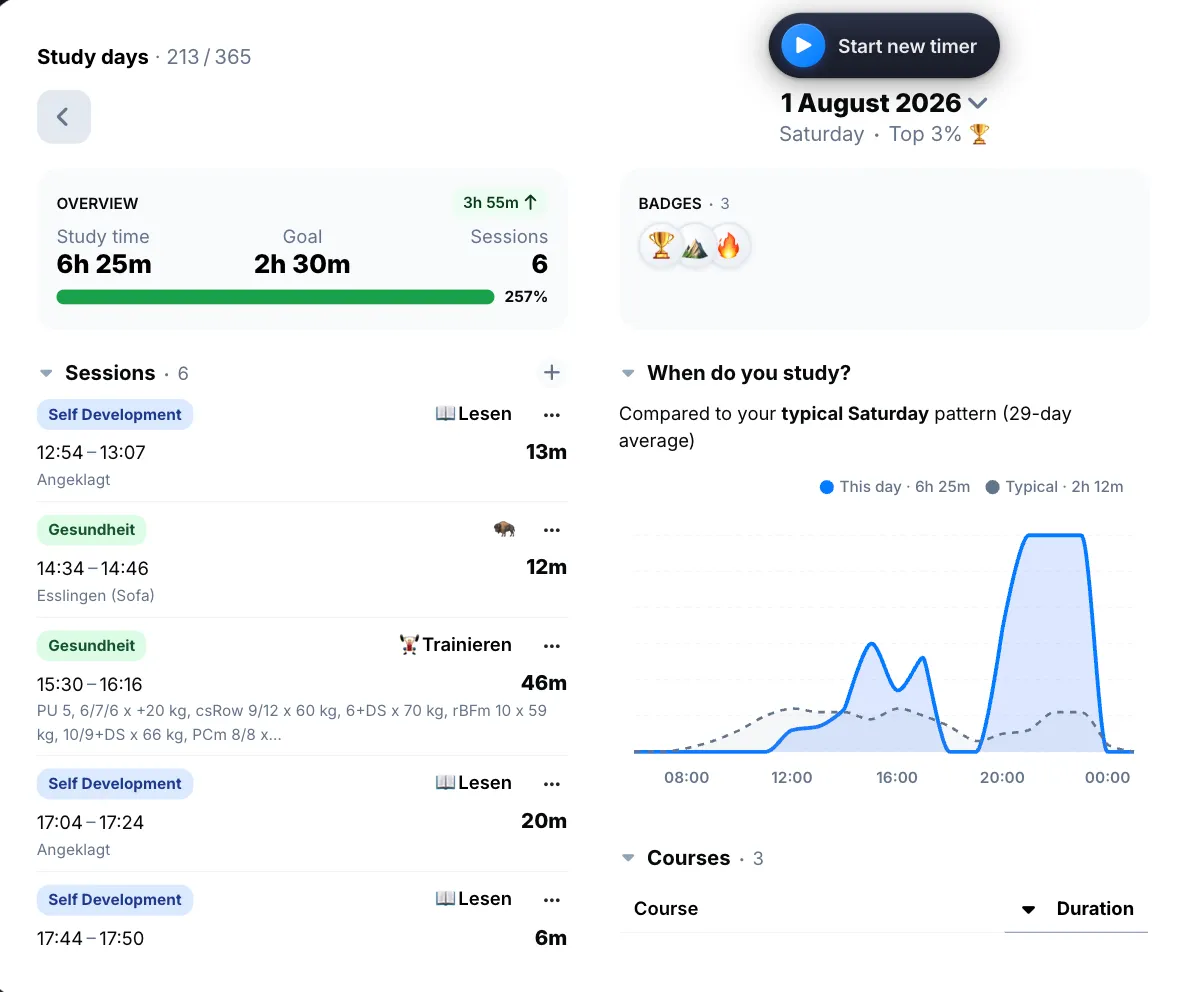
On mobile, modals now behave like native sheets – they rise from the bottom, push the page back, and close with a swipe from the left edge. The study day behind them was rebuilt around a summary row.

  • Mobile sheets: Every modal opens as a sheet that pushes the page behind it, with an iOS-style left-edge swipe to go back
  • Day summary row: Badges, overview, and exams sit together at the top of every study day
  • Create from a day: Add exams and sessions without leaving the study day you're looking at
  • Week start: Pick the day your week starts on and every week in the app follows it
  • Duration inputs: A new duration field for goals, medals, and default lengths, with steppers that repeat while you hold them
The command palette
July 2026NewImproved

The command palette

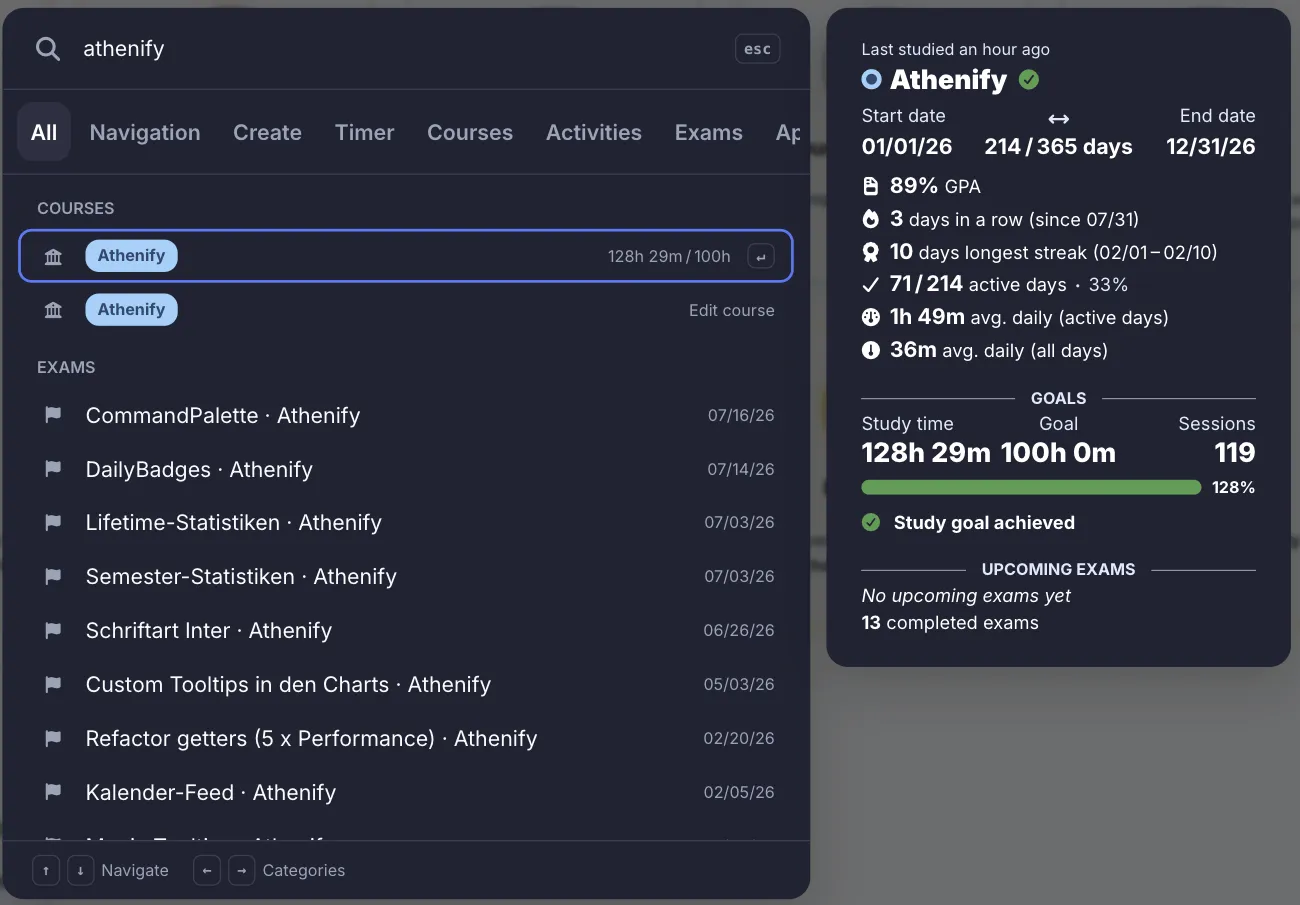
Press ⌘K (Ctrl+K on Windows) anywhere in Athenify to jump to any page, course, activity, or term, start a timer, create anything, or switch themes – without ever reaching for the mouse.

  • Command palette: One shortcut for navigating, searching, and creating anywhere in the app
  • Entity previews: Preview a course, activity, or term inside the palette before you open it
  • Section tabs: Narrow the palette down to navigation, creation, timer, terms, or appearance
  • Date search: Type a date in your own language and land on that study day
  • Keyboard shortcuts: Unified across Mac and Windows, with Ctrl+1…9 for the side menu
  • Collapsed side menu: Hover a collapsed icon to see the page it stands for
July 2026NewImproved

Notes on study days

Every study day now takes notes – written in Markdown, formatted as you type, and visible right on the day card.

  • Day notes: Markdown notes on any study day, with live formatting and lists that carry on when you press Enter
  • Notes on cards: Your note shows on the study day card itself, no opening required
  • Active week badge: A new badge for staying active all week long, with its own notification
  • Week navigation: Move between weeks straight from the study day header, with a week tooltip
Pomodoro cycles & deeper focus
July 2026NewImproved

Pomodoro cycles & deeper focus

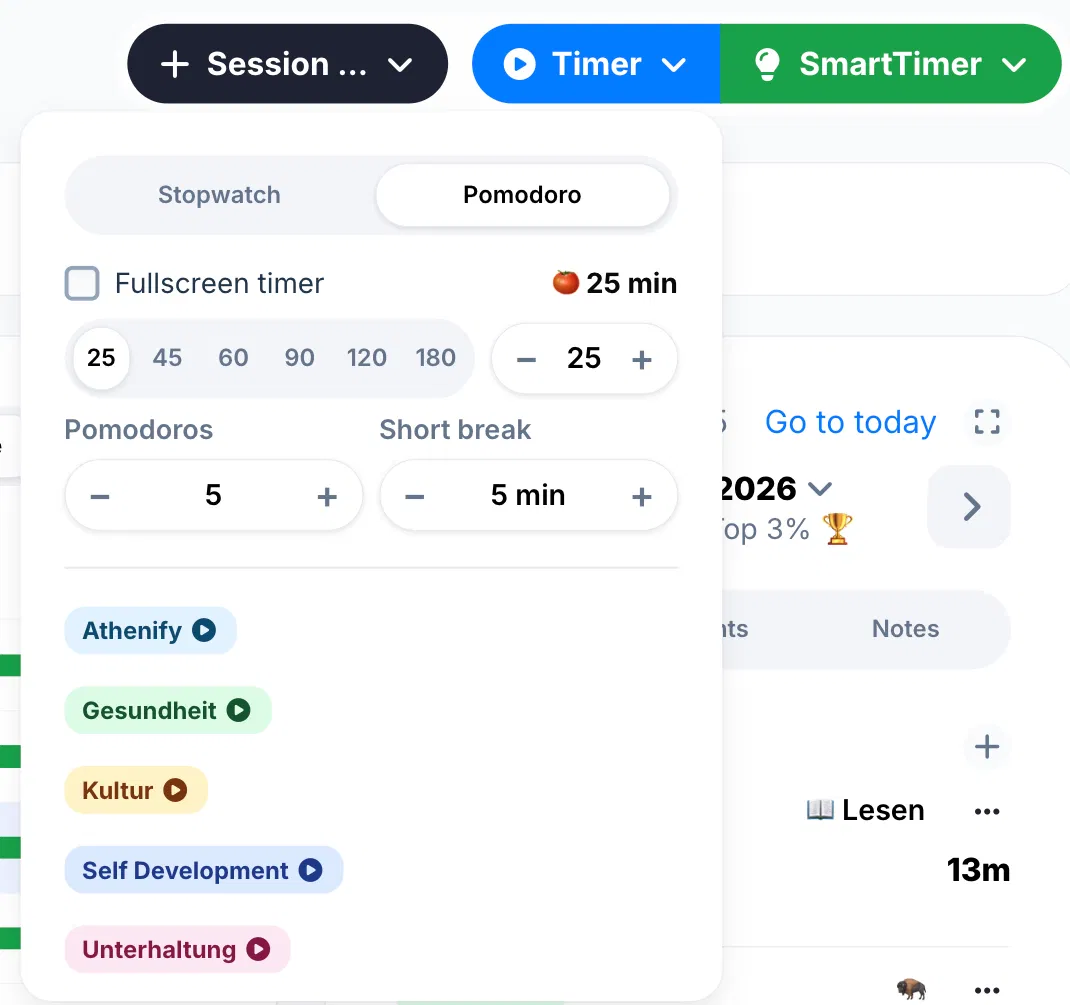
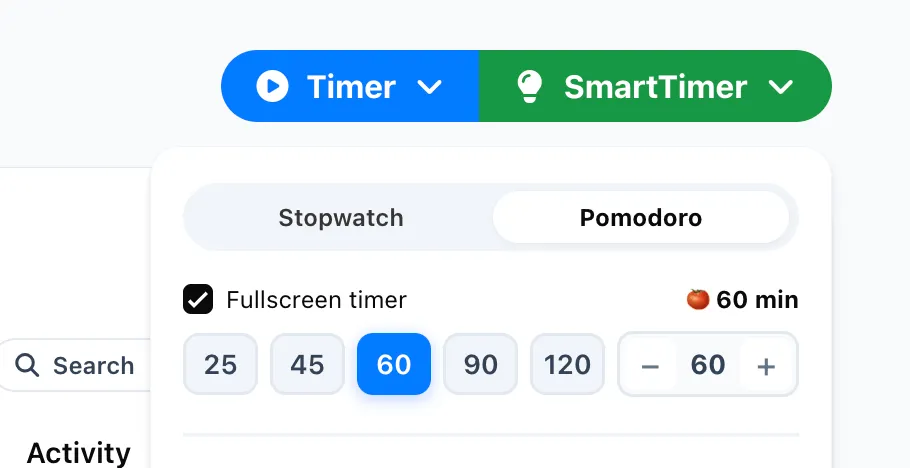
The Pomodoro timer now runs full cycles of its own, and the fullscreen timer finally got the settings it was missing.

  • Pomodoro cycles: Configure focus and break cycles once, in both the timer and the quick timer
  • Keep screen awake: An optional setting so your screen never dims during a fullscreen session
  • Auto-hiding controls: Fullscreen controls fade away after five seconds of stillness, switchable in settings
  • Getting started: The checklist is grouped into tabs, with an advanced section for power users
July 2026NewImproved

Darker dark mode & faster charts

The dark palette dropped a notch darker and every surface was retuned to match – alongside a new chart engine and lists that keep loading as you scroll.

  • Activity breakdown: Split any course duration chart by activity with a single switch
  • Endless scrolling: Study days and sessions load automatically as you reach the bottom
  • Dark mode: A deeper palette with new treatments for tooltips, dropdowns, snackbars, and filters
  • Charts: A new chart engine with smoother animations and colors that follow your theme
  • Instant deletes: Removing a session no longer freezes the table while it saves
  • More colors: Every activity color scheme now offers 15 colors
Term review & smarter term management
July 2026NewImproved

Term review & smarter term management

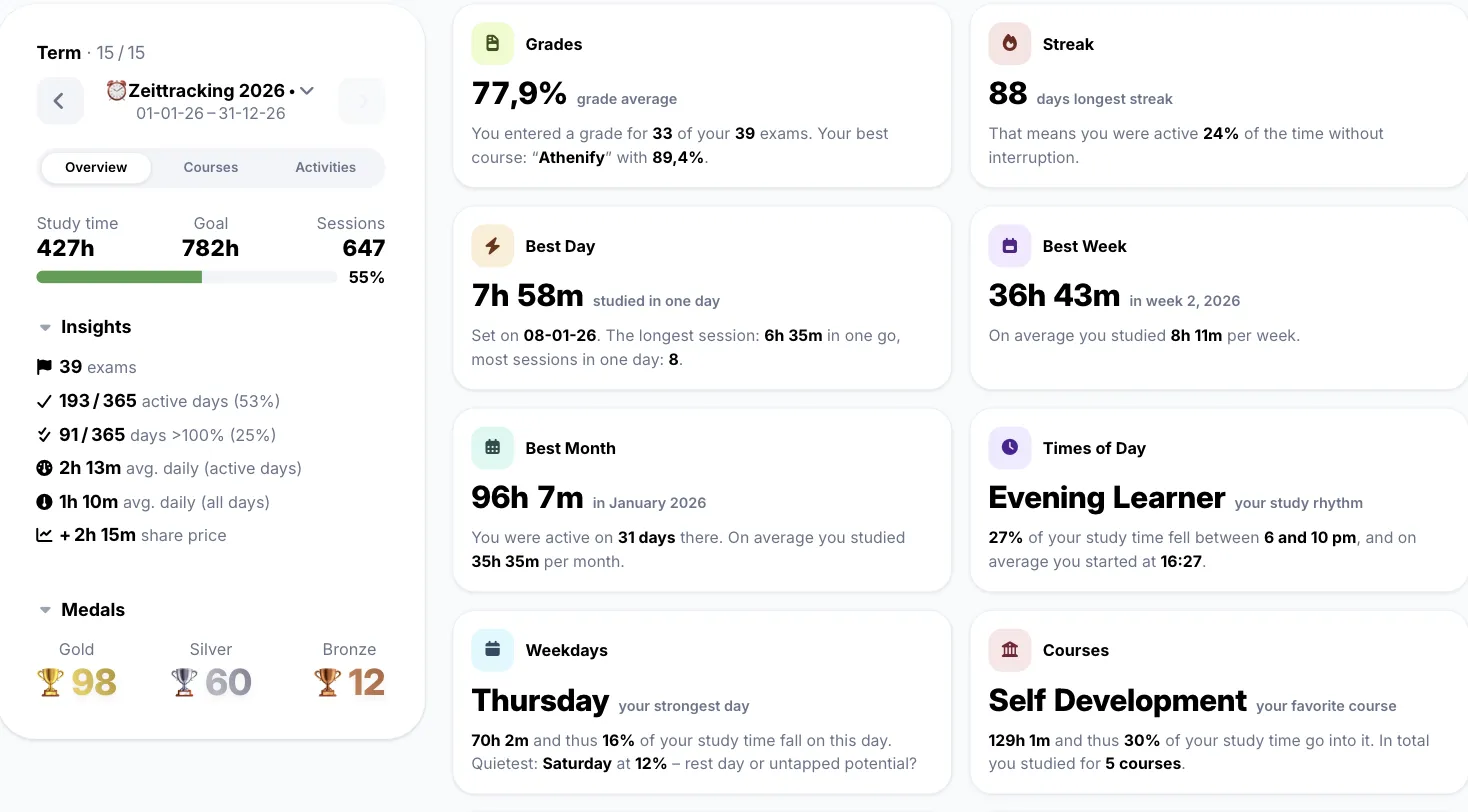
Relive every term! The new Review tab summarizes any term with grades, streaks, best days, and your personal study rhythm – plus smarter filters and undo across the app.

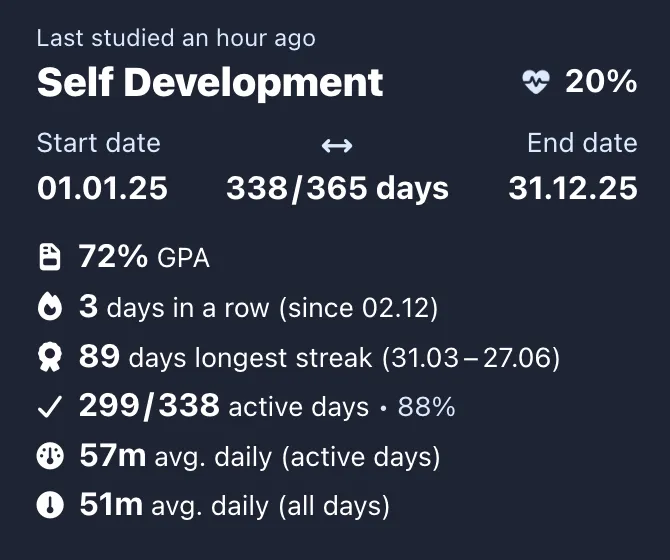
  • Term review: Stats for every term: grade average, longest streak, best day, week and month, study rhythm, and more
  • Session filters: Filter your sessions by course and activity on the Courses page, on desktop and mobile
  • Undo delete: Deleted a session by accident? One tap brings it back
  • Onboarding: A fresh splash screen and eight focused steps with per-country study goals
  • Performance: Faster builds and a dashboard that appears in one atomic paint
July 2026NewImproved

Design polish everywhere

Redesigned pages and delightful details across the whole app.

  • Medal tooltips: Animated tooltips with your last earned medal, recent days, and share stats
  • Segment by days: Group the sessions table by day for a chronological view
  • Custom datepicker: A brand new datepicker matching the app's design
  • Achievements page: Fully redesigned badges and achievements layout
  • Day details: Redesigned study day view with exam separators on mobile
  • Exams table: Notes and grades now live directly under each exam name
Dashboard view toggles & a fresh font
June 2026NewImproved

Dashboard view toggles & a fresh font

See your data your way: dashboard tiles now switch between chart and table view, and the whole app got a crisp new typeface.

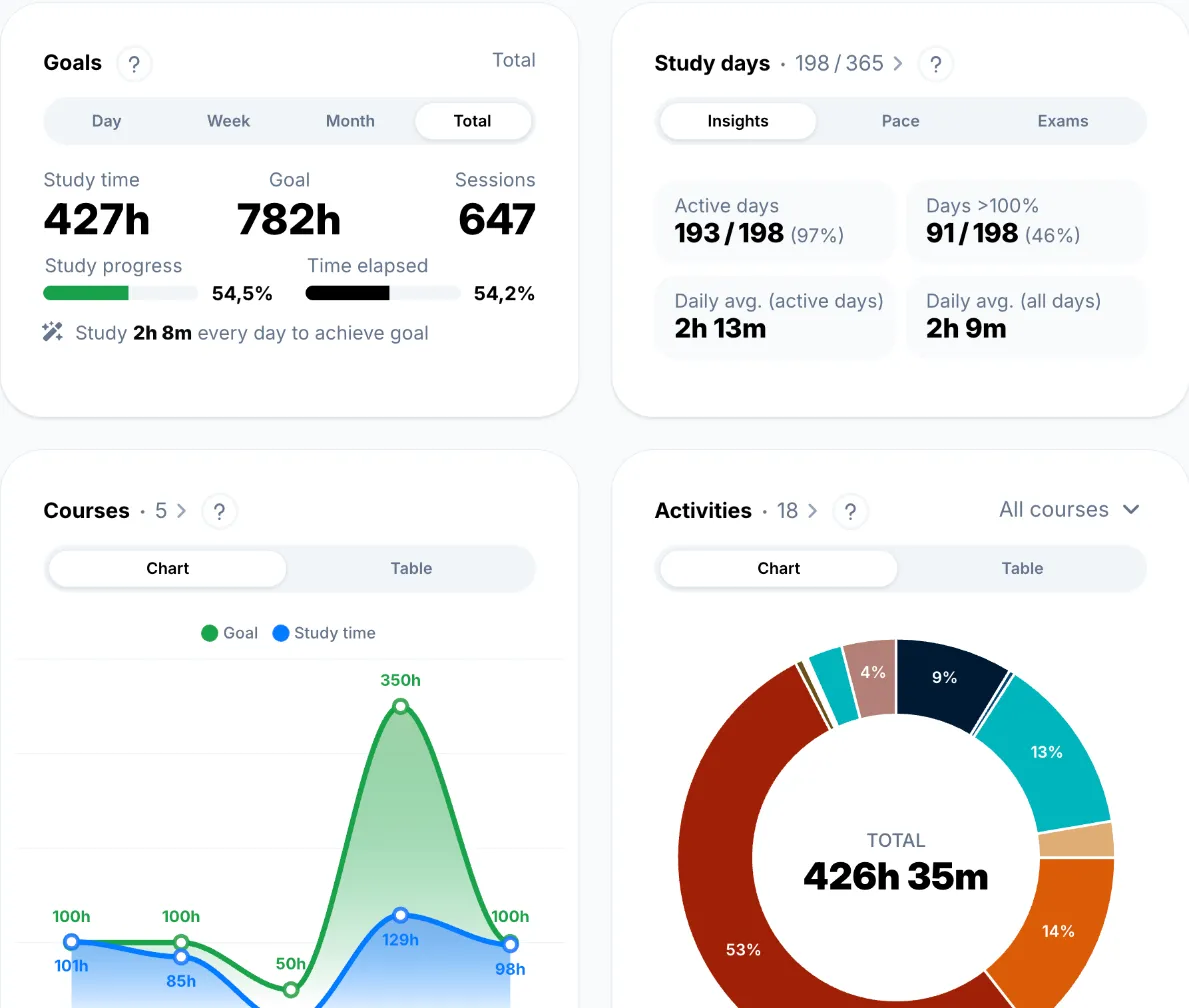
  • Chart/table toggle: Flip dashboard course and activity tiles between chart and table view
  • Pomodoro presets: Customize your own Pomodoro duration presets
  • Week stats: Week tooltips now show your weekly activity breakdown
  • Account deletion: Delete your account and all data yourself (GDPR)
  • New typeface: The entire app now uses Inter for sharper readability
  • Remembered sorting: Tables keep your sort column and direction across sessions
Study day insights & new settings
May 2026NewImproved

Study day insights & new settings

Understand your study days better with new insights, a new dashboard chart, and redesigned tooltips across all charts.

  • Study day insights: Active days, days above 100%, and daily averages at a glance
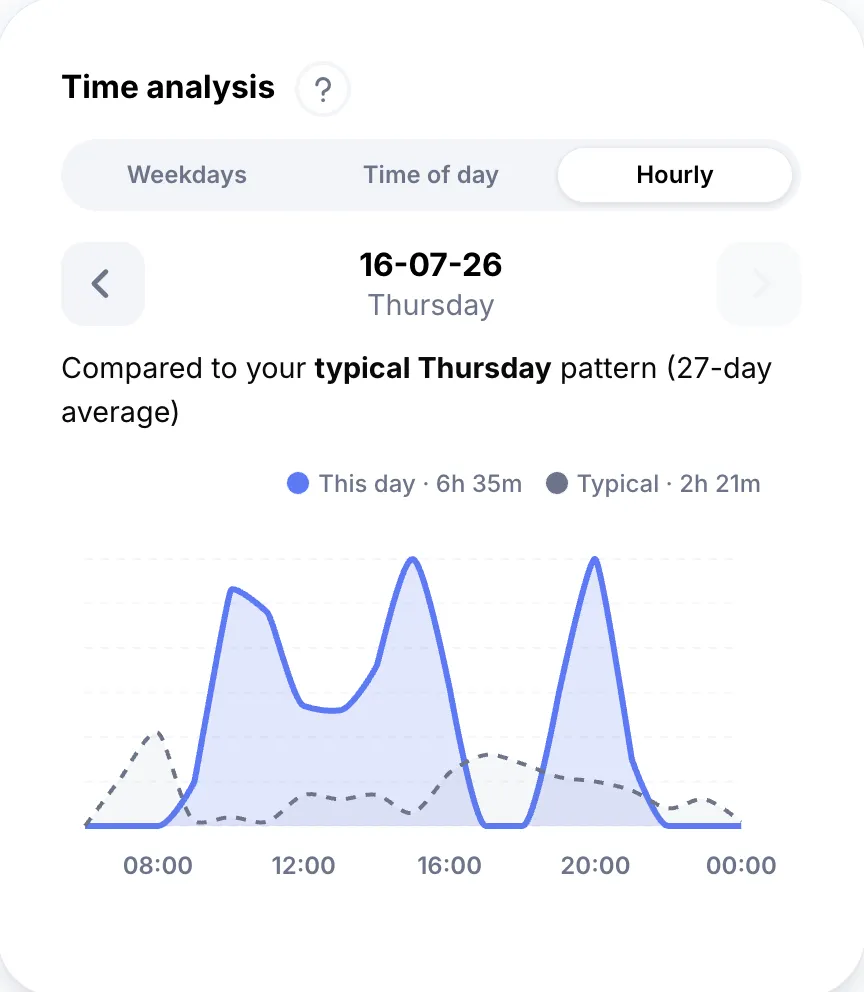
  • Hourly chart: See any day hour by hour, compared to your typical pattern for that weekday
  • Day histograms: Study day tooltips now include a mini histogram of your day
  • Chart tooltips: Custom tooltips with nicer ticks and layouts in every chart
  • Settings: Reorganized settings pages that are easier to navigate
6 new languages
February 2026New

6 new languages

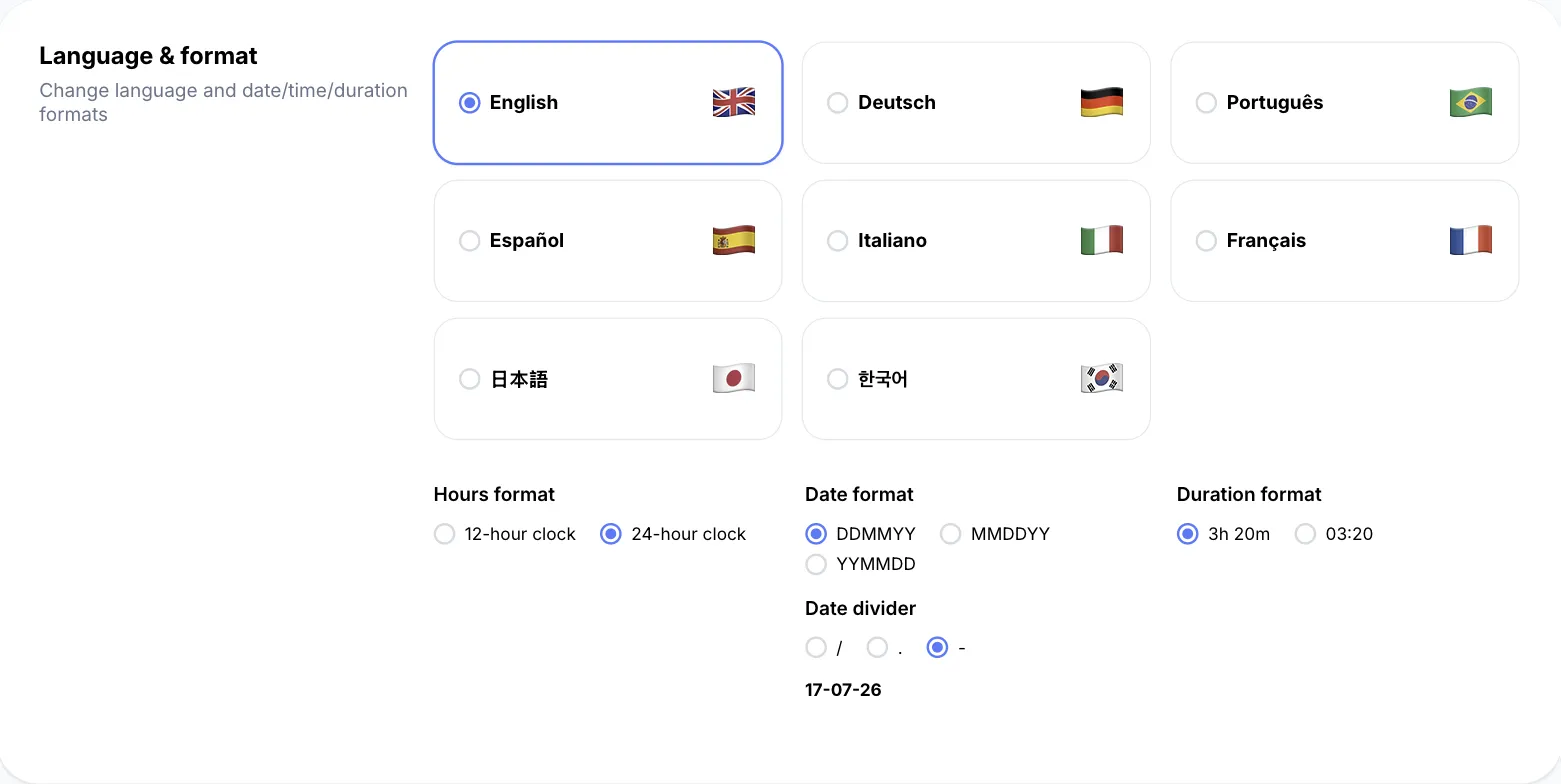
Athenify now speaks 8 languages! French, Italian, Spanish, Portuguese, Japanese, and Korean join English and German – alongside a live calendar feed and Sign in with Apple.

  • New languages: Français, Italiano, Español, Português, 日本語, and 한국어
  • Calendar feed: Subscribe to your study sessions as a live feed in Google Calendar, Apple Calendar, or Outlook
  • Sign in with Apple: One more secure way to log in
Study heatmaps in the Data Room
February 2026New

Study heatmaps in the Data Room

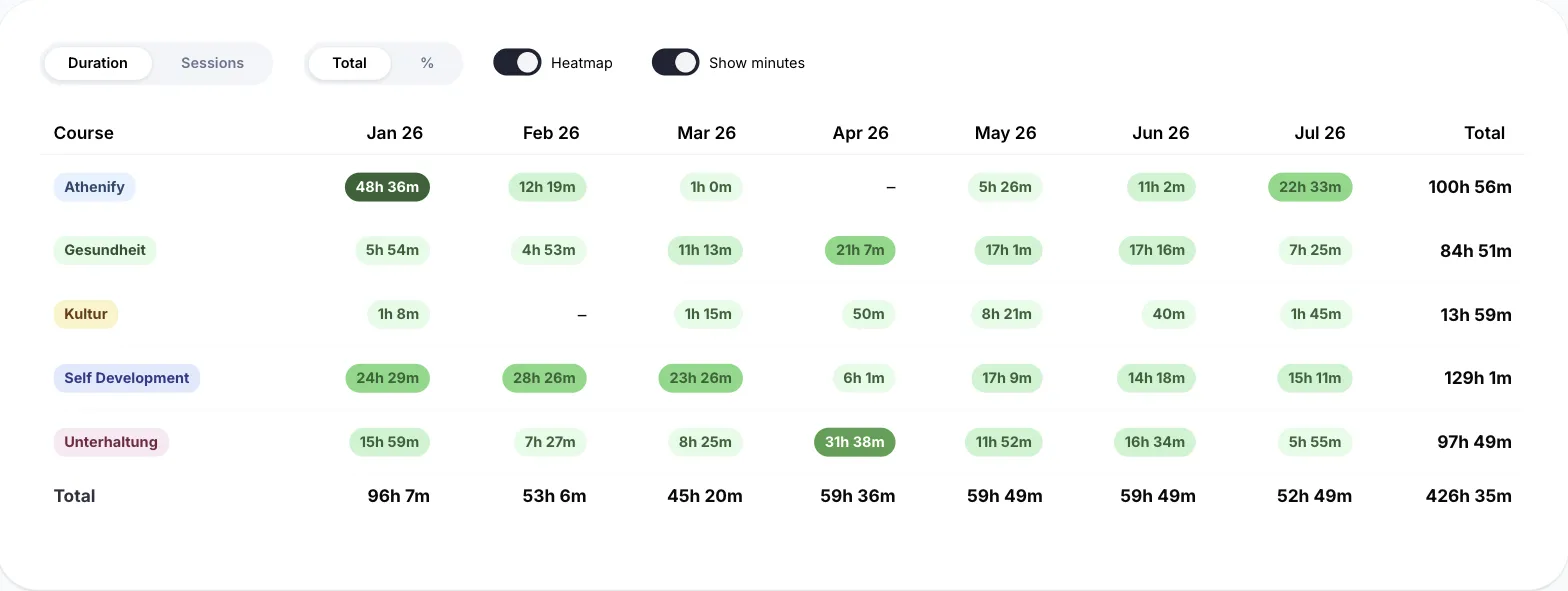
Spot your most intense study periods at a glance – every Data Room matrix now shades its cells by intensity.

  • Study heatmaps: All matrices highlight where your study time concentrates
  • Matrix filters: Narrow any matrix down to the courses and activities you care about
January 2026Improved

Faster everywhere

A complete rebuild on Vue 3 makes the whole app snappier, with polished loading states and refreshed lifetime stats.

  • Vue 3 rebuild: The entire app was migrated to Vue 3 for noticeably faster interactions
  • Lifetime stats: More stats and a refined design for your all-time overview
  • Loading polish: Consistent spinners and cleaner feedback throughout the app
Trophies & achievements
December 2025New

Trophies & achievements

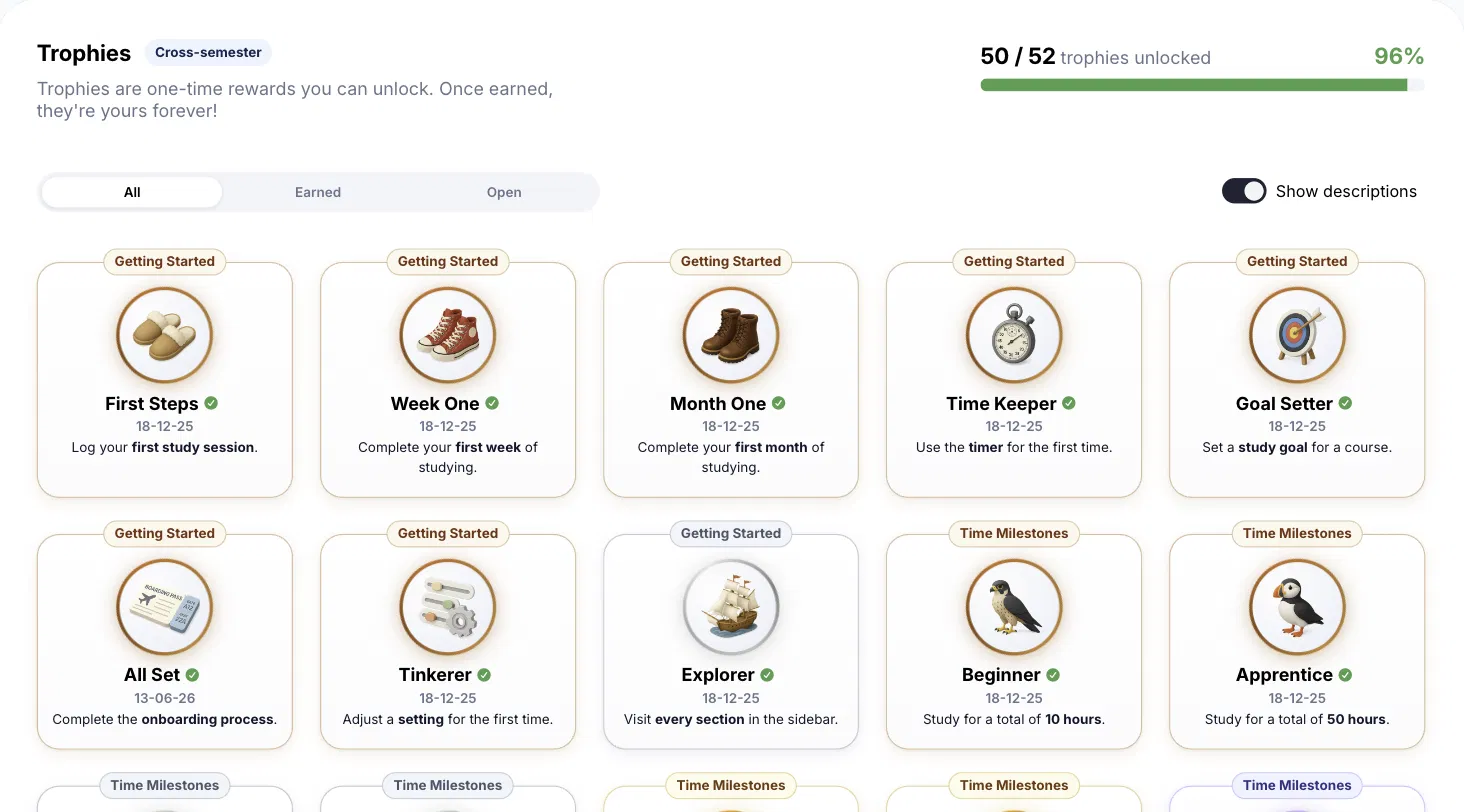
Over 50 trophies to unlock! From your first study session to epic time milestones – once earned, they're yours forever.

  • Trophies: 50+ one-time achievements across getting started, time milestones, and more
  • Quick timer: Start a timer instantly, right from anywhere
  • Keyboard navigation: Navigate timers and modals entirely by keyboard
Performance boost & fullscreen timer
December 2025NewImproved

Performance boost & fullscreen timer

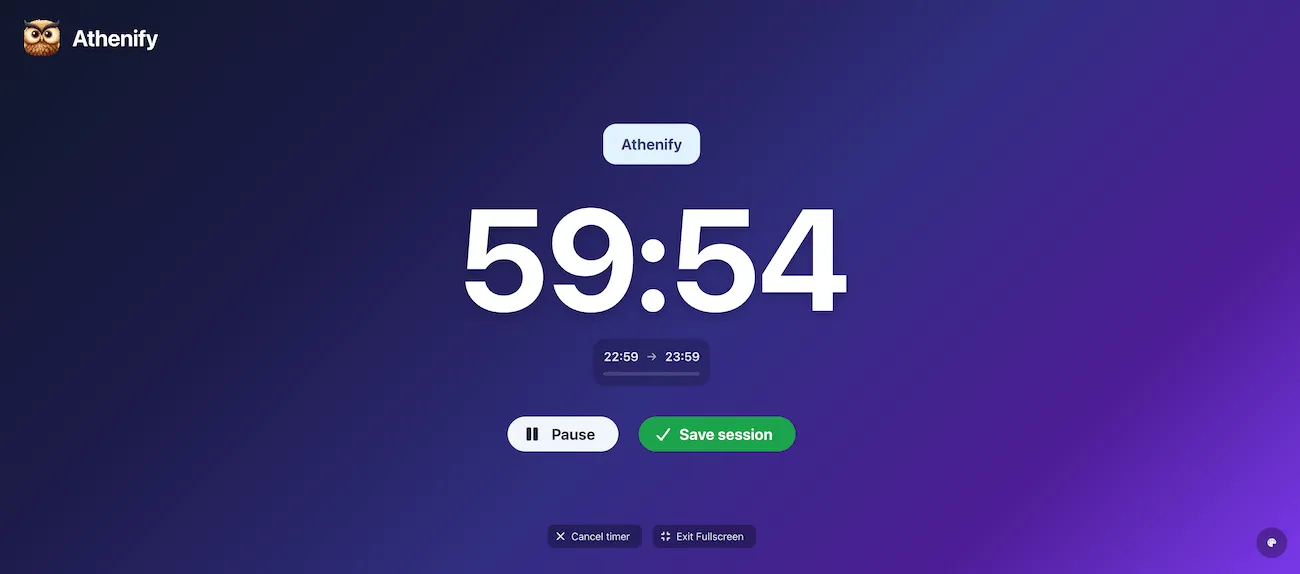
The biggest update of 2025! We've completely overhauled chart performance, optimized all assets, and introduced a brand new fullscreen timer for maximum focus.

  • Fullscreen timer: Immersive focus mode that eliminates all distractions
  • Timer color themes: Pick your favorite color for the fullscreen timer
  • Floating timer: Completely redesigned, with a new mobile timer and nav bar
  • Chart performance: All charts now load up to 3x faster with smart caching
  • Asset optimization: All images compressed with ImageOptim for faster load times
November 2025Improved

Streamlined checkout

We've simplified the payment process with Stripe Checkout for a faster, more secure purchasing experience.

  • Stripe Checkout: Faster, more secure payment flow
  • Checkout warmup: Pre-loaded checkout for instant payment processing
Completeness score
October 2025New

Completeness score

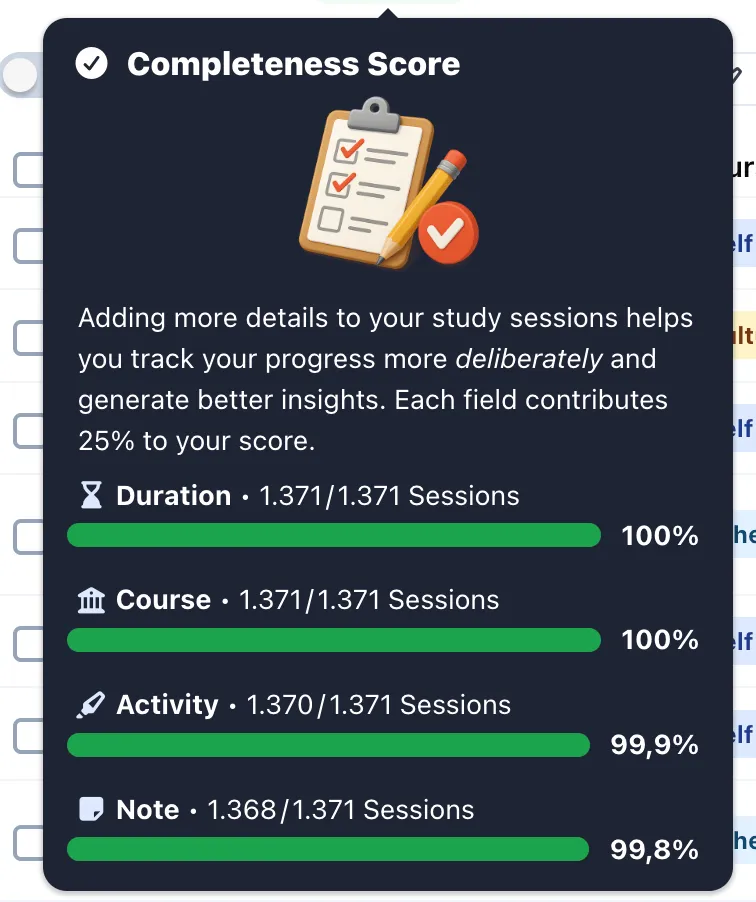
Track your study completeness with a new metric that shows how thoroughly you're covering your study material.

  • Completeness score: See how thoroughly you're covering your study material
Visual tooltips & quick time setting
October 2025New

Visual tooltips & quick time setting

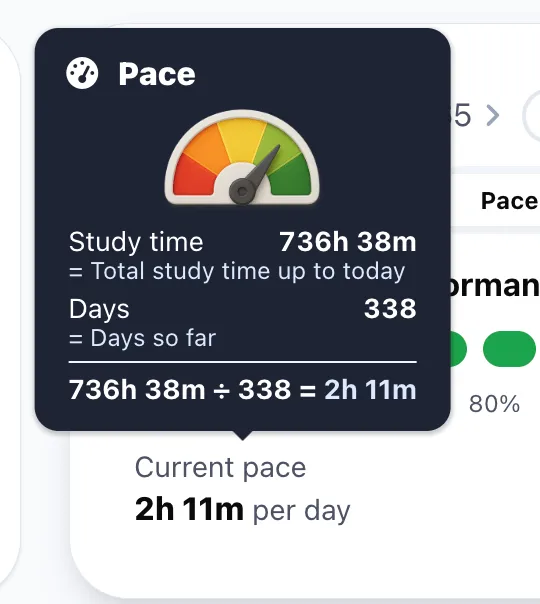
Beautiful image-based tooltips and faster time entry with new quick buttons.

  • Visual tooltips: New image-based tooltips for pace, stock, magic forecast, and streak
  • Quick time setting: Use "Now" and "End" options for faster time entry
  • Sound effects: Optional sounds for key actions, configurable in settings
Grades & GPA tracking
August 2025New

Grades & GPA tracking

Track your exam grades and calculate your GPA automatically! See weighted averages and understand how each exam contributes to your final grade.

  • Grade tracking: Log grades for all your exams and subjects
  • Weighted GPA: Automatic calculation with custom exam weights
  • Exams table: Paginated overview of all your exams with grades
  • Activity insights: Duration diagrams and study time analytics
Day time frequency chart
July 2025New

Day time frequency chart

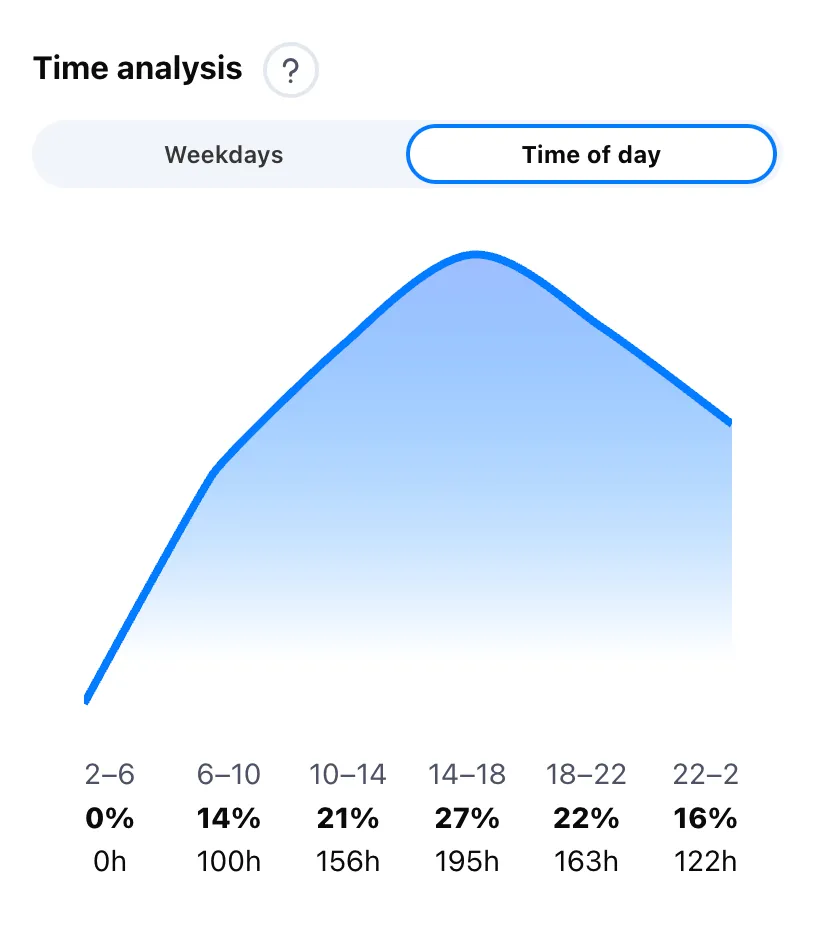
Discover when you study most effectively with the new day time frequency chart.

  • Day time frequency: Visualize your most productive hours and days
  • Table customization: Hide activities or the share price for a cleaner view
June 2025New

Lifetime stats

Your studying journey in numbers – all-time stats across every semester you've ever tracked.

  • Lifetime stats: Total study time, sessions, and streaks across all semesters
May 2025NewImproved

New mobile calendar

A completely redesigned calendar experience on mobile, plus more ways to pay.

  • Mobile calendar: Rebuilt from the ground up for small screens
  • Payment options: Klarna and more local payment methods at checkout
Pomodoro timer
April 2025New

Pomodoro timer

A built-in Pomodoro timer with customizable focus intervals to boost your productivity.

  • Pomodoro timer: Customizable focus intervals (15, 25, 45, 60+ minutes)
Floating tab bar & streak tracking
April 2025New

Floating tab bar & streak tracking

A modern floating navigation bar and detailed streak tracking per subject and activity.

  • Floating tab bar: Modern, sleek navigation that follows you on mobile
  • Streak per subject & activity: Track streaks for individual subjects and study types
Accessibility & progress indicators
March 2025NewImproved

Accessibility & progress indicators

Making Athenify accessible to everyone with improved keyboard navigation, focus styles, and beautiful new progress indicators.

  • Progress indicators: Ring-based progress visualization for daily goals
  • Keyboard navigation: Full keyboard support throughout the app
  • Focus styles: Clear visual indicators for focused elements
Dashboard tabs & welcome emails
February 2025New

Dashboard tabs & welcome emails

A completely revamped dashboard with tabs and personalized welcome emails to help you get started.

  • Dashboard tabs: New tabbed interface for better organization on web and mobile
  • Welcome emails: Personalized onboarding emails to get you started
3-month license
January 2025New

3-month license

More flexibility in choosing your subscription with the new 3-month license option.

  • 3-month license: New flexible license option for shorter commitments

Try Athenify for free

Kickstart your most productive semester! Start your 14-day free trial of Athenify today

Try Athenify for free – your digital learning tracking tool
Effortless tracking of all your study times
Stay motivated with streaks, medals, and badges
Analyze your study habits with graphs and deep dive tools
Get Started Now

No credit card required.